

Managed Microsoft Intune Device Management
Secure every device, app, and user with Microsoft Intune. CyberQuell configures, manages, and monitors Intune across your Microsoft 365 environment, so your team can support hybrid work without losing control.
.avif)
Assessment delivered
Policy rollout plan
Device visibility
App protection
Device Management Cannot Stay Manual
Hybrid work has made device management harder. Employees use laptops, mobile phones, personal devices, cloud apps, and remote networks to access company data every day.
Without the right controls, IT teams lose visibility fast. Devices go unmanaged. Apps are installed without oversight. Compliance gaps appear. Former employees may retain access. Personal devices can access business data without clear boundaries.
Microsoft Intune helps solve this, but only when it is configured properly. CyberQuell sets up Intune policies, enrolment workflows, compliance rules, app protection, and access controls so your devices stay secure, compliant, and easier to manage.
What Is Microsoft Intune?
Microsoft Intune is Microsoft’s cloud-based endpoint management platform. It helps organisations manage devices, protect business apps, enforce compliance policies, and control access to company resources across Microsoft 365.

Unified Device Management
Manage Windows, macOS, iOS, and Android devices from one cloud-based console.

Mobile App Management
Protect company data inside business apps, even on personal devices that are not fully enrolled.

Conditional Access Control
Connect Intune with Microsoft Entra ID to make sure only compliant devices and approved users can access company resources.

Zero-Touch Deployment
Use Windows Autopilot to provision and configure new Windows devices without manual IT setup.

Microsoft 365 Integration
Intune works with Microsoft 365, Defender for Endpoint, Entra ID, and other Microsoft security tools to keep device access aligned with your wider security posture.
Supported Intune Deployment Scenarios
CyberQuell helps you choose and configure the right Intune deployment model based on your device estate, users, and compliance needs.
Windows Autopilot
Provision new Windows devices with the right apps, settings, policies, and user permissions before the employee starts using them. This reduces manual setup time and helps IT scale device onboarding.
Microsoft Entra ID Join
Connect work devices directly to Microsoft Entra ID so users can sign in securely and access Microsoft 365 resources with identity-based controls.
Hybrid Entra ID Join
Support organisations that still rely on on-premises Active Directory while moving device management into the cloud.
BYOD and App Protection
Allow employees to use personal devices while keeping company data protected inside approved apps like Outlook, Teams, OneDrive, and Office.
Co-Management Support
For organisations using Configuration Manager, CyberQuell helps plan Intune co-management so cloud-based policy control can be introduced without disrupting existing workflows.

MDM vs MAM in Microsoft Intune
Microsoft Intune supports both Mobile Device Management and Mobile App Management. The right approach depends on whether your organisation owns the device, whether the user owns it, and how much control IT needs.
| Area | MDM in Intune | MAM in Intune |
|---|---|---|
| What it manages | The full device | Specific business apps |
| Best for | Company-owned laptops, mobiles, and tablets | BYOD and personal devices |
| IT control | Higher control over device settings, compliance, and security | Control over business data inside approved apps |
| User privacy | More device-level visibility | Better separation between personal and work data |
| Common use case | Enrolled corporate devices | Personal phones using Outlook, Teams, or OneDrive |
CyberQuell helps you apply the right mix of MDM and MAM so business data is protected without creating unnecessary friction for users.

What’s Included in CyberQuell’s Managed Intune Service
CyberQuell manages the full Intune lifecycle, from planning and enrolment to policy configuration, compliance monitoring, and ongoing support.

Intune Readiness Assessment
We review your Microsoft 365 tenant, current device estate, licence coverage, identity setup, and existing endpoint management gaps.

Device Enrolment Setup
We configure enrolment workflows for Windows, macOS, iOS, and Android devices, including company-owned and BYOD scenarios.

Windows Autopilot Configuration
We set up Autopilot deployment profiles, enrolment settings, device naming, user assignment, and baseline configuration for new Windows devices.

Compliance Policies
We define rules for encryption, OS versions, passwords, screen lock, jailbreak detection, device health, and other security requirements.
Conditional Access Alignment
We connect Intune compliance signals with Microsoft Entra ID, so risky or non-compliant devices can be blocked from accessing company resources.

App Protection Policies
We secure business data in apps like Outlook, Teams, OneDrive, and Office, especially for BYOD and mobile users.

Application Deployment
We help deploy required business applications, security tools, configuration profiles, and updates through Intune.

Security Baselines and Configuration Profiles
We apply Microsoft security baselines and environment-specific policies to reduce misconfiguration risk.

Reporting and Compliance Visibility
You receive clear reporting on device compliance, policy gaps, enrolment status, and areas that need remediation.

Ongoing Policy Management
CyberQuell reviews, updates, and tunes your Intune policies as your users, devices, and security requirements change.
How Managed Intune Works
We assess your current setup, design the right Intune structure, configure device and app policies, and keep your environment managed over time.
Step 1: Environment and Licence Assessment
We review your Microsoft 365 tenant, Entra ID setup, device estate, licence coverage, existing policies, and any current endpoint management tools.
Step 2: Intune Design and Deployment Plan
We define your enrolment model, MDM and MAM approach, Autopilot requirements, compliance policies, app protection rules, and conditional access dependencies.
Step 3: Configuration and Rollout
CyberQuell configures Intune policies, enrolment settings, Autopilot profiles, app deployment, compliance rules, and access controls. Rollout can be phased by device type, department, or user group.
Step 4: Monitoring and Ongoing Management
We track device compliance, investigate policy failures, review configuration drift, update policies, and provide clear reporting so your environment stays controlled.
Who Needs Managed Microsoft Intune?
Managed Intune is a strong fit for organisations that need better device control without adding more internal IT overhead.

Hybrid and Remote Workforces
If employees work across offices, homes, and travel locations, Intune helps keep devices secure wherever users connect from.
BYOD Environments
If employees use personal phones or laptops for work, Intune helps protect business data without taking full control of personal devices.
Compliance-Focused Organisations
Finance, healthcare, legal, and regulated businesses need clear device compliance rules, access controls, and reporting.

Fast-Growing IT Teams
If your team is onboarding users, shipping devices, and managing apps manually, Intune can reduce repetitive work and improve consistency.
Microsoft 365 Organisations
If your organisation already uses Microsoft 365, Intune can help connect device security, identity, access, and compliance in one Microsoft-native setup.
Self-Managed Intune vs CyberQuell Managed Intune
Microsoft Intune is powerful, but many organisations struggle to configure it beyond the basics. CyberQuell helps you avoid misconfigurations, policy gaps, and unmanaged devices.
| Dimension | Self-Managed Intune | CyberQuell Managed Intune |
|---|---|---|
| Deployment planning | Internal team designs policies and rollout | CyberQuell assesses, designs, and guides rollout |
| Windows Autopilot | Often delayed or partially configured | Autopilot profiles, enrolment, and deployment workflows configured properly |
| MDM and MAM | Can be over-controlled or too loose | Balanced based on company-owned, BYOD, and app-level needs |
| Entra ID integration | Requires internal identity expertise | Conditional access and device compliance aligned with Entra ID |
| Compliance reporting | Manual review and troubleshooting | Clear reporting on compliance, gaps, and remediation priorities |
| Ongoing policy management | Internal team must maintain every change | CyberQuell reviews and updates policies as the environment changes |
| Best fit | Teams with mature endpoint management expertise | Teams that want Intune managed without building specialist capability in-house |
Case Studies
See how these played out

Case Study
Emergency M365 Defederation | Legal Firm / 200 Mailboxes | Zero Email Downtime
A 200-mailbox law firm was locked inside GoDaddy's Microsoft 365 tenant, unable to reach the E3 security features their client-confidentiality obligations demanded.CyberQuell executed a full tenant defederation in four hours with zero email downtime, handing the firm complete administrative control and unlocking encryption, Conditional Access, and data loss prevention.
Engagement duration: 4 hours | Environment: 200 mailboxes | Email downtime: Zero | E3 security features unlocked: Yes
Case Study
BEC Payment Redirect | Events / Exhibitor | No Internal Breach
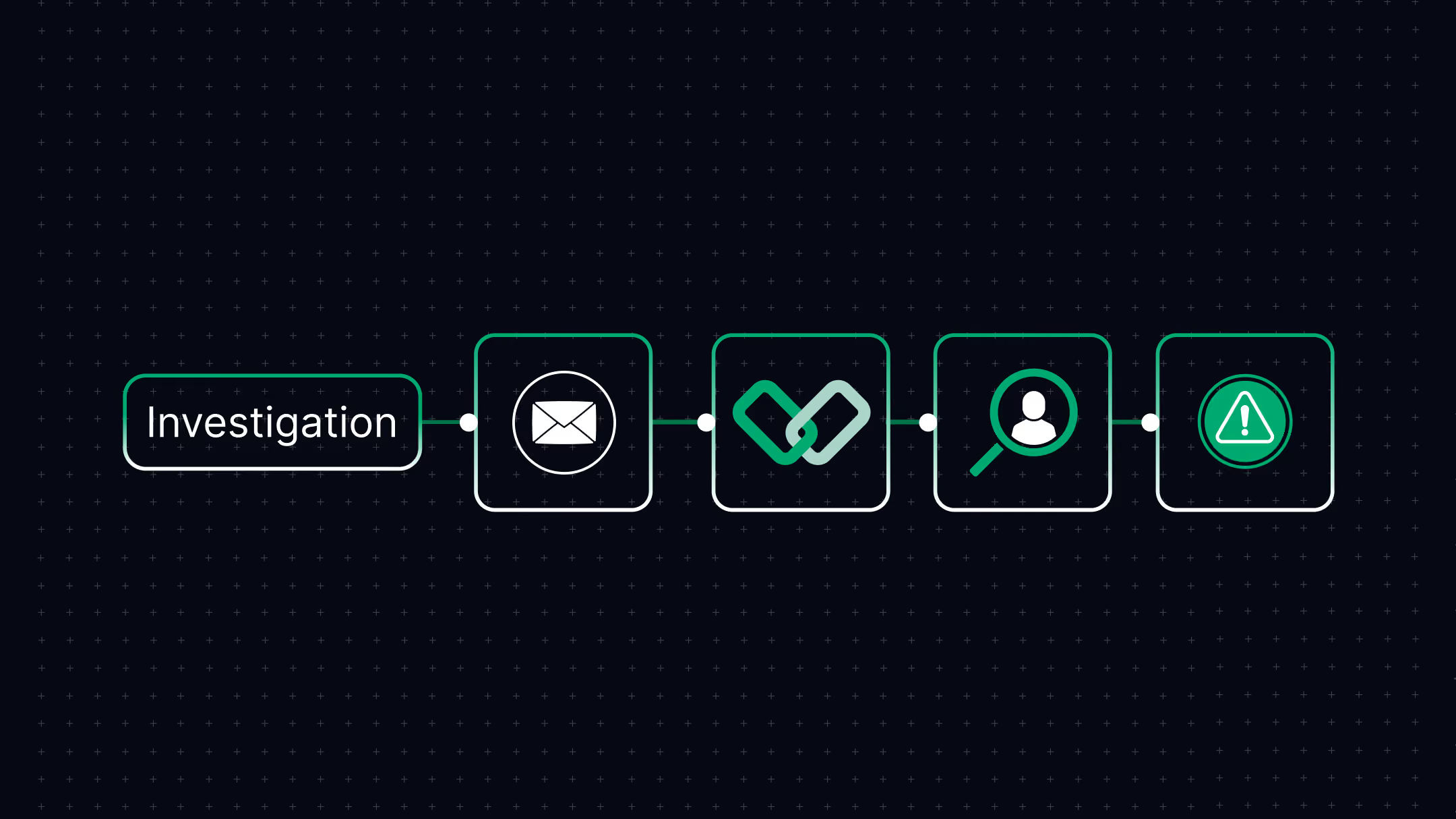
A fraudulent invoice using domain impersonation redirected a $5,562.50 exhibitor booth deposit to an attacker-controlled account.CyberQuell's investigation confirmed no internal breach had occurred, avoiding costly tenant-wide remediation and documenting the incident for financial and insurance claims.
Incident type: Business Email Compromise | Payment redirected: $5,562.50 | Attack method: Domain impersonation | Systems compromised: None
Case Study
Multi-Phase BEC Campaign | Professional Services | $150,000+ Fraud Attempt Stopped
A sophisticated threat actor maintained persistent access to a bookkeeper's Microsoft 365 mailbox for four months, survived multiple remediation attempts, and orchestrated fraudulent payment requests to multiple clients totalling over $150,000.
CyberQuell's forensic investigation uncovered session token theft and malicious Outlook rules that had survived credential resets. Full threat eradication. Zero financial loss.
Attack duration: 4 months | Fraud attempted: $150,000+ | Financial loss: £0 | Previous remediation attempts failed: Yes

Case Study
Phishing Account Compromise | Microsoft 365 / Azure AD | Contained in Hours
A phishing attack compromised a single Microsoft 365 account, raising the threat of persistent mailbox access and data theft across the tenant.CyberQuell contained the account within hours, confirmed only a handful of emails were accessed, and verified no persistence mechanisms or data exfiltration remained.
Incident type: Phishing compromise | Environment: Microsoft 365 / Azure AD | Systems compromised: Single user account | Data exfiltration: None
Case Study
Exposed Cloud Secrets | AWS / Web Application | No Unauthorised Access
A misconfigured Symfony development server publicly exposed cloud credentials and application secrets, opening the door to a full AWS environment compromise.CyberQuell's forensic investigation confirmed no unauthorised access had occurred and rotated every exposed credential before it could be abused. Production systems untouched.
Incident type: Cloud secret exposure | Environment: AWS / Symfony | Credentials rotated: Before exploitation | Systems compromised: None

Case Study
Suspicious M365 Logins | Microsoft 365 / Azure AD | No Compromise Confirmed
Microsoft 365 security alerts flagged logins from unusual locations, pointing to a possible account takeover across the tenant.CyberQuell traced the anomalies to legitimate network routing behaviour and confirmed no compromise, sparing the organisation disruptive account resets while tightening identity monitoring.
Incident type: Suspicious authentication | Environment: Microsoft 365 / Azure AD | Root cause: Network routing | Systems compromised: None

Case Study
HR Document Exposure | Microsoft 365 / SharePoint | No Breach Confirmed
Confidential HR and compensation documents began surfacing in Microsoft 365 search results, triggering fears of a serious data breach.CyberQuell traced the exposure to permission inheritance and migration errors rather than an external attack, then restricted access and hardened Microsoft 365 governance.
Incident type: Internal data exposure | Environment: SharePoint / OneDrive | Root cause: Permission inheritance | External breach: None
.avif)
Case Study
White-Label SOC Partnership | Managed Service Provider | $12,400 MRR in 23 Days
A regional MSP needed to offer security monitoring to more than 40 SMB clients but had no SOC, no spare capital, and no security staff to build one.CyberQuell launched a fully white-labelled SOC in 23 days with zero capital outlay, generating $12,400 in monthly recurring revenue at 60 percent margins under the MSP's own brand.
Engagement type: White-label SOC | Time to revenue: 23 days | Client portfolio: 40+ SMBs | Capital investment: Zero
Manage Every Device Without Losing Control
Microsoft Intune can help your team manage devices, apps, compliance, and access from one Microsoft-native platform. CyberQuell configures and manages Intune properly, so your users can work anywhere while your business keeps control of company data.

Why Choose CyberQuell to Manage Microsoft Intune?
CyberQuell helps you turn Intune from a partially used Microsoft feature into a managed device security layer across your organisation.
Microsoft Security Expertise
Our team understands Intune in the context of Microsoft 365, Entra ID, Defender for Endpoint, conditional access, and security operations.
Built for Hybrid Work
We configure Intune for real-world device environments, including remote workers, BYOD users, mobile teams, and mixed operating systems.

Autopilot and Enrolment Support
CyberQuell helps reduce manual setup by configuring enrolment workflows and Windows Autopilot for faster, more consistent device onboarding.

Security and Compliance Focus
We define policies for encryption, passwords, device health, OS versions, app protection, and access control, then report on compliance gaps.
Less Internal Overhead
Your IT team does not need to become Intune specialists overnight. CyberQuell handles configuration, policy management, monitoring, and improvement
Clear Assessment Before You Commit
Start with a free Intune assessment that shows your current gaps, licence position, and recommended rollout path before any major changes are made.
Our Certifications
We pride ourselves on having a highly certified team, with each member continuously upgrading their skills to stay at the forefront of cybersecurity.





Hear from our clients
Manage Every Device Without Losing Control
Microsoft Intune can help your team manage devices, apps, compliance, and access from one Microsoft-native platform. CyberQuell configures and manages Intune properly, so your users can work anywhere while your business keeps control of company data.
Frequently Asked Questions
Get answers to common questions Managed Microsoft Intune
Microsoft Intune is used to manage devices, secure business apps, enforce compliance rules, and control access to company resources. It supports Windows, macOS, iOS, and Android devices. Organisations use Intune to manage company-owned devices, BYOD environments, app protection, conditional access, and zero-touch device deployment.
Managed Intune means a specialist provider configures, monitors, and maintains your Microsoft Intune environment for you. This includes enrolment, compliance policies, app protection, Autopilot, conditional access alignment, and reporting. CyberQuell manages Intune so your internal team does not need to handle every policy decision, rollout issue, or configuration change alone.
MDM, or Mobile Device Management, manages the full device. It is best for company-owned laptops, phones, and tablets where IT needs stronger control. MAM, or Mobile App Management, protects business data inside specific apps without managing the full personal device. Intune supports both, and CyberQuell helps you choose the right model for each user group.
Yes. Microsoft Intune works with Windows Autopilot to provision new Windows devices with the right settings, apps, and policies before the user starts working. This reduces manual setup for IT teams and creates a more consistent onboarding experience. CyberQuell configures Autopilot profiles, enrolment settings, and deployment workflows as part of managed Intune setup.
Intune works with Microsoft Entra ID to connect device compliance with user access. For example, a user may only be allowed to access Microsoft 365 if their device meets your compliance rules. This helps stop unmanaged, risky, or non-compliant devices from accessing company data. CyberQuell aligns Intune policies with Entra ID conditional access rules.
Yes. Intune can support BYOD through app protection policies and mobile application management. This lets your organisation protect business data inside apps like Outlook, Teams, OneDrive, and Office without taking full control of the employee’s personal device. CyberQuell helps design BYOD policies that balance security, privacy, and usability.
Microsoft Intune can manage Windows, macOS, iOS, and Android devices. It can also support different ownership models, including company-owned devices, personally owned devices, shared devices, and mobile devices. CyberQuell helps configure policies based on device type, user role, and business risk.
Deployment time depends on your current Microsoft 365 setup, number of devices, operating systems, user groups, and policy requirements. Most projects start with a 5-business-day assessment that identifies gaps and creates a rollout plan. After that, CyberQuell can deploy Intune in phases so your team does not face unnecessary disruption.