

Key Takeaways:
- Network security solutions fall into six functional categories: perimeter control, access control, traffic inspection, segmentation, data protection, and detection and response.
- No single tool covers the network. Layering is a technical requirement, not a vendor upsell.
- Zero Trust network access has largely replaced traditional VPN as the standard for remote connectivity.
- Microsoft-centric environments already license most of these categories natively, often without realising it.
- The most common failure point is not tool selection. It is having nobody reviewing the alerts those tools generate.
Most mid-sized organisations run six or more network security tools that were bought at different times, by different people, and do not share data with each other. This guide breaks down every category of network security solution, what each one actually protects, and how to decide which ones your environment needs. It is written for the people who have to justify the spend, not just deploy the product.
What Are Network Security Solutions?
Network security solutions are the tools, controls, and services that protect data as it moves across a network and restrict who or what can connect to that network in the first place. They cover traffic between your users, devices, applications, and cloud services, along with the policies that govern access to each.
A complete set of network security solutions handles four jobs: controlling access at the edge, inspecting traffic in transit, limiting lateral movement once something is inside, and detecting activity that should not be happening. Different products handle different jobs. No single product handles all four, which is why network security is always a stack rather than a single purchase.
For an organisation of 50 to 500 employees, that stack typically spans a firewall at the perimeter, identity-based access controls for remote users, email and web filtering, segmentation between sensitive systems, and something watching the traffic for anomalies. Where those components sit has changed. Ten years ago most of them were appliances in a server room. Today most are cloud-delivered or built into platforms you already license.
Network Security vs Cybersecurity vs Endpoint Security
Cybersecurity is the parent category. Network security and endpoint security are two disciplines within it, separated by what they protect.
- Cybersecurity covers everything: data, identities, applications, endpoints, networks, and the people using them.
- Network security protects the connections between systems. It answers what is allowed to talk to what, and what is moving across those connections.
- Endpoint security protects individual devices. It answers what is running on this laptop, server, or phone, and whether that behaviour is malicious.
The two overlap more than they used to. A modern endpoint agent enforces host firewall rules and inspects network traffic leaving the device, which is a network security function delivered at the endpoint. Meanwhile, network controls increasingly make decisions based on device health, which is endpoint data.
The practical consequence is that you cannot cover one and skip the other. A compromised laptop becomes a launch point into the network, and an unsegmented network turns one compromised laptop into a company-wide incident. If you are deciding where to invest first, endpoint security and network security serve different failure scenarios and the right starting point depends on your current exposure.
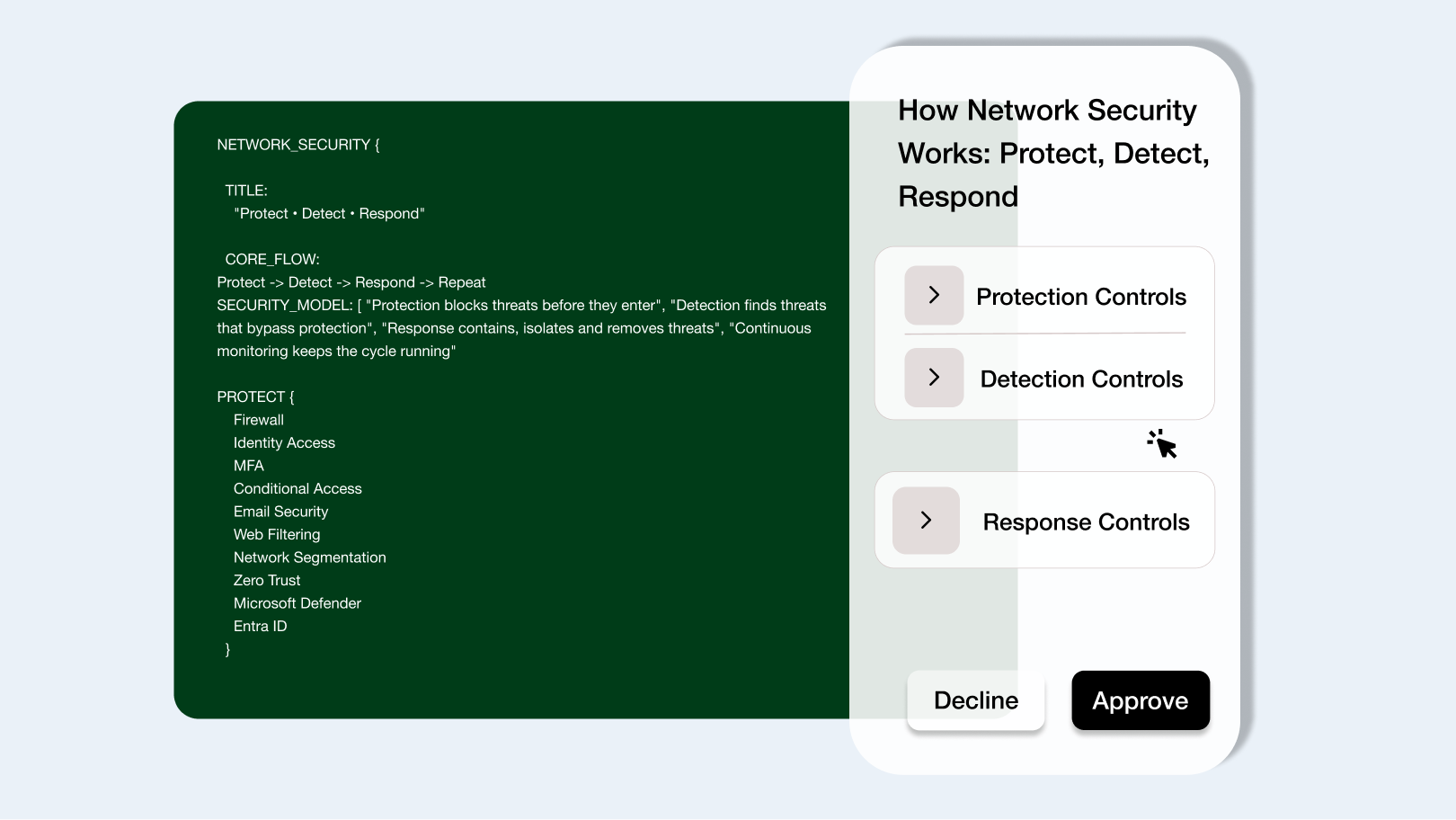
How Network Security Works: Protect, Detect, Respond
Network security works across three functions that run continuously and depend on each other: protection stops what it can, detection finds what got through, and response contains it before it spreads.
Most organisations invest heavily in the first function and almost nothing in the third. That imbalance is the single most common structural weakness we see in mid-market environments. Prevention tools generate the alerts. Without detection tuning and a response process, those alerts accumulate in a console nobody opens.
Protection Controls
Protection controls block unauthorised traffic and access before anything reaches your systems. These are the preventive layer, and they work on rules you define in advance.
The core protection controls in a modern network are:
- Perimeter filtering. A firewall inspecting inbound and outbound traffic against policy, including application-level rules rather than just ports and IP addresses.
- Identity-based access control. Verification of who the user is and whether their device meets policy before granting a connection, replacing the old model of trusting anything inside the perimeter.
- Email and web filtering. The two channels most attacks arrive through, filtered before content reaches the user.
- Segmentation. Boundaries between network zones so that access to one area does not grant access to all of them.
In a Microsoft environment, most of this is available without third-party products. Microsoft Entra ID Conditional Access handles identity-based access control, Microsoft Defender for Office 365 covers email filtering, and Microsoft Defender for Endpoint provides network protection and host firewall management on each device. Perimeter filtering and physical segmentation still typically require dedicated hardware or a cloud firewall service.
Detection Controls
Detection controls identify malicious or anomalous activity that protection controls did not block. They assume prevention will fail at some point, which it will.
Detection works by collecting signals from across the network and correlating them. A single failed login is not an incident. A hundred failed logins across twelve accounts from one IP address, followed by one success, is. The correlation is where the value sits, and it requires log data from multiple sources feeding into one place.
That place is a SIEM. Microsoft Sentinel ingests logs from firewalls, endpoints, identity systems, and cloud services, then applies detection rules to surface incidents rather than raw events. Endpoint telemetry from Microsoft Defender for Endpoint contributes the device-level view, including process behaviour and outbound connections that a network device alone cannot see.
The limitation of detection is that it produces output nobody acts on unless someone is assigned to act on it. This is where the difference between MDR and SIEM becomes the deciding factor for teams without a dedicated security function.
Response Controls
Response controls contain and remediate a confirmed threat. Speed matters more than sophistication here, because the window between initial access and lateral movement is measured in hours.
Response actions on a network typically include isolating a compromised device from the network, disabling a user account, blocking a destination IP or domain at the firewall, and revoking active sessions. Microsoft Defender for Endpoint can isolate a device directly, Microsoft Entra ID can revoke sessions and force reauthentication, and Microsoft Sentinel can trigger these actions automatically through automation rules.
Automation handles the first minutes. A human decides what happens next, because containment actions carry business cost. Isolating a finance server at month-end close is a different decision from isolating a spare laptop, and no automation rule should make that call alone.
The gap for most organisations is not tooling. It is that response depends on someone being available at 3am on a Saturday, which is when a meaningful share of incidents surface. That is the operational reason managed XDR services exist, rather than a licensing one.
Types of Network Security Solutions
There are eight categories of network security solution that matter for a mid-sized environment. Each one addresses a different failure scenario, and the order you deploy them should follow your exposure rather than the vendor's roadmap.
Next-Generation Firewall (NGFW)
A next-generation firewall inspects traffic at the application layer rather than just filtering by port and IP address. It can identify that traffic on port 443 is a file transfer to an unsanctioned cloud storage service, which a traditional firewall cannot.
NGFW features typically include application awareness, intrusion prevention, TLS inspection, and integrated threat intelligence feeds. The practical benefit is policy written in business terms rather than network terms: block file sharing applications for the contractor VLAN, rather than block a list of ports and hope you covered them all.
Traditional stateful firewalls are no longer sufficient on their own. They cannot see inside encrypted traffic, and the overwhelming majority of both legitimate and malicious traffic is now encrypted. If your perimeter device predates application awareness, that is a gap regardless of how well the rules are written.
Zero Trust Network Access (ZTNA) and VPN
Zero Trust network access grants users a connection to a specific application rather than to the network. A VPN does the opposite: it places the user on the network and trusts them once they are there.
The distinction matters during a breach. A compromised VPN credential gives an attacker network-level access and the ability to scan for other targets. A compromised ZTNA session gives them one application, with the identity provider still evaluating device health and risk signals on every request.
Microsoft Entra ID Conditional Access and Microsoft Entra Private Access deliver this model for most Microsoft-first organisations, with access decisions based on user identity, device compliance state, location, and calculated sign-in risk. Legacy VPN still has a place for administrative access to on-premises infrastructure that cannot be published through an identity proxy, but it should be the exception rather than the default remote access method. The full architectural picture is covered in our guide to implementing Zero Trust architecture with Microsoft 365.
Network Detection and Response (NDR)
Network detection and response monitors traffic patterns to identify behaviour that signature-based tools miss. It watches for the activity that follows a successful intrusion rather than the intrusion itself.
NDR is effective against lateral movement, command and control beaconing, and data staging before exfiltration. These generate no malware signature and often involve legitimate administrative tools, which is precisely why endpoint and perimeter controls miss them.
For most organisations under 500 employees, dedicated NDR is a later-stage purchase. The equivalent visibility usually comes first from endpoint telemetry in Microsoft Defender for Endpoint combined with firewall and DNS logs correlated in Microsoft Sentinel. Standalone NDR becomes worth the spend when you have significant unmanaged infrastructure, OT systems, or IoT devices that cannot run an agent.
Network Segmentation and Microsegmentation
Segmentation divides a network into zones with controlled paths between them. Microsegmentation applies the same principle at the individual workload level, so two servers in the same subnet cannot communicate unless policy permits it.
Segmentation is the control that determines whether an incident stays small. Ransomware that reaches a flat network encrypts everything reachable from the initial device. The same ransomware in a segmented network encrypts one zone while the rest stays operational.
Practical starting points for a mid-sized network are separating guest wireless from corporate, isolating servers from user workstations, placing IoT and building systems on their own VLAN, and restricting management interfaces to a dedicated administrative network. None of these require new products. Most require configuration work on equipment you already own, which is why segmentation is consistently the highest-value and most deferred item on the list.
Email and Web Filtering
Email and web filtering block malicious content at the two channels users interact with most. Phishing remains the most common initial access vector, which makes this layer disproportionately important relative to its cost.
Email filtering covers attachment detonation, link rewriting and time-of-click checking, impersonation detection, and authentication enforcement through SPF, DKIM, and DMARC. Web filtering blocks access to known malicious domains, newly registered domains, and categories the business has no reason to reach.
Microsoft Defender for Office 365 covers the email side, with Safe Attachments and Safe Links handling detonation and time-of-click verification. Web filtering is delivered through network protection in Microsoft Defender for Endpoint, which applies at the device level regardless of whether the user is on the corporate network. Default tenant settings are not sufficient here. The policies require deliberate configuration.
Data Loss Prevention (DLP)
Data loss prevention identifies sensitive data and controls where it can go. It inspects content in email, cloud storage, and endpoint activity, then blocks or flags transfers that violate policy.
DLP addresses two distinct risks. The first is deliberate exfiltration by an insider or an attacker using valid credentials. The second, more common in practice, is accidental exposure: a spreadsheet of customer records attached to the wrong email thread or uploaded to a personal cloud account.
Microsoft Purview Data Loss Prevention applies policies across Exchange, SharePoint, OneDrive, Teams, and managed endpoints using sensitive information types and classification labels. The implementation difficulty is not technical. It is defining what counts as sensitive in your business, which requires input from people outside IT.
Secure Access Service Edge (SASE)
SASE combines network security functions and wide area networking into a single cloud-delivered service. It consolidates secure web gateway, cloud access security broker, ZTNA, and firewall-as-a-service under one policy engine.
The model exists because the traditional architecture stopped matching reality. Backhauling traffic from remote users to a central data centre for inspection, then out to a cloud application, adds latency and cost for no security benefit when both the user and the application sit outside the perimeter.
SASE is most relevant to organisations with multiple sites, a substantial remote workforce, and applications spread across several cloud providers. Single-site organisations with a Microsoft-centric application estate often achieve comparable outcomes through Microsoft Entra ID and Defender for Endpoint without adopting a full SASE platform. Vendor consolidation is a legitimate reason to consider it, but it should follow a gap assessment rather than lead one.
SIEM and Log Correlation
A SIEM collects log data from across the environment and correlates events into incidents. It is the layer that makes the other seven categories useful, because each one generates telemetry that means little in isolation.
Without correlation, a firewall block, an unusual sign-in, and a device isolation event are three separate entries in three separate consoles. Correlated, they are one attack chain with a timeline.
Microsoft Sentinel ingests from Microsoft Defender products natively and from third-party firewalls, network appliances, and cloud platforms through connectors. Detection rules generate incidents, and automation rules can trigger response actions directly. Its pricing is consumption-based on data ingested, which makes log source selection a cost decision as well as a coverage decision. Ingesting everything is neither necessary nor affordable.
Network Security Solutions Compared
Priority reflects a typical 50 to 500 employee organisation with a Microsoft-first stack. Sequence should follow a security assessment of your actual exposure, not a generic maturity model.
Which Network Security Solutions Does Microsoft Already Provide?
If you run Microsoft 365 and Windows endpoints, you already license a meaningful portion of the network security stack described above. Most organisations underuse it, not because the capability is hidden, but because it is delivered as features inside products bought for other reasons.
The honest version of this section includes what Microsoft does not cover, which is the part most vendor content omits. A full breakdown of the portfolio is in our guide to Microsoft security solutions and which ones you actually need.
Microsoft Defender for Endpoint
Defender for Endpoint enforces network controls at the device rather than at the perimeter, which means the protection travels with the laptop.
Network protection blocks connections to malicious or low-reputation domains and IP addresses, applying whether the user is in the office, at home, or on hotel wifi. Web content filtering allows category-based blocking without a proxy. Host firewall policy can be centrally managed rather than left to local configuration.
The device telemetry is equally significant. Defender for Endpoint records process activity and outbound connections, which is the data that identifies command and control traffic and lateral movement attempts. Network protection requires Defender Antivirus in active mode to function, which is a common configuration gap in environments running a third-party AV product alongside it.
Microsoft Entra ID and Conditional Access
Entra ID is the access control layer for the network, and Conditional Access is where the policy lives.
Conditional Access evaluates each authentication attempt against signals including user identity, group membership, device compliance state, location, application being accessed, and calculated sign-in risk. It then permits, blocks, or requires additional verification. This is the ZTNA function delivered through identity rather than through a network appliance.
Entra Private Access extends the model to on-premises applications, publishing individual internal resources through the identity layer without placing the user on the network. For organisations still routing all remote access through a VPN concentrator, this is usually the highest-impact change available with existing licensing.
Conditional Access requires deliberate policy design. A tenant with MFA enabled and nothing else is not running Zero Trust. It is running MFA.
Microsoft Defender for Office 365
Defender for Office 365 secures the channel most attacks arrive through, which makes it the highest-return component of the Microsoft stack for network security purposes.
Safe Attachments detonates attachments in an isolated environment before delivery. Safe Links rewrites URLs and checks the destination at the moment of click rather than at the moment of delivery, which defeats the common technique of arming a link after the message passes inspection. Anti-phishing policies apply impersonation protection for named users and domains, and mailbox intelligence builds a baseline of normal sender relationships.
Default policies are permissive. Preset security policies set to Standard or Strict close most of the gap in a single configuration change, and DMARC enforcement on your sending domains closes the rest. Neither is enabled for you.
Microsoft Sentinel
Sentinel is the correlation layer that turns telemetry from the other three into detections.
It ingests natively from Defender for Endpoint, Defender for Office 365, and Entra ID, which means the identity, email, and device signals arrive already normalised. Third-party firewalls, network appliances, DNS servers, and cloud platforms connect through data connectors or Syslog. Analytics rules generate incidents from correlated events, and automation rules trigger containment actions such as disabling an account or isolating a device.
The constraint is cost. Sentinel bills on data ingested, so log source selection is a budget decision. Firewall and DNS logs are high-volume and high-value. Verbose application logs are often high-volume and low-value. Deciding what not to ingest is as important as deciding what to collect.
What Microsoft Does Not Cover
Microsoft does not provide a complete network security stack, and treating it as one leaves specific gaps.
- On-premises next-generation firewall. Azure Firewall protects cloud workloads. It does not replace a perimeter appliance at a physical office. That remains a third-party purchase.
- Physical network segmentation. VLAN design, switch access control lists, and routing policy are configuration work on your network hardware. No Microsoft licence performs it.
- OT and ICS environments. Defender for IoT provides visibility into operational technology networks, but industrial protocol coverage, passive monitoring requirements, and the constraint that OT devices cannot run agents make this a specialist domain. Our guide on why IT security is not enough for OT and IoT covers the distinction.
- Dedicated NDR for unmanaged devices. Anything that cannot run a Defender agent is invisible to endpoint telemetry. Printers, cameras, building management systems, and legacy appliances need network-level monitoring to be seen at all.
- The operations layer. Microsoft supplies the tooling. It does not supply anyone to watch the console, tune the detection rules, or respond at 2am. That is the gap that determines whether the rest of the investment produces anything.
Not sure which parts of your Microsoft licensing you are already paying for but not using? Book a call with CyberQuell to run a security assessment that maps your current Microsoft tenant configuration against the controls you are entitled to, and identifies the gaps that need a third-party solution.
How to Choose Network Security Solutions for Your Business
Choose network security solutions by identifying where your environment is actually exposed, then buying the control that closes the largest gap first. Most organisations do the opposite and buy the product a vendor demonstrated well.
The sequencing matters more than the shortlist. A business with unsegmented file servers and no email filtering gains nothing from an NDR platform, because the incident will start in the inbox and spread through the flat network long before anything appears in traffic analysis.
Start With Your Attack Surface, Not the Product List
Your attack surface is the set of paths an attacker can use to reach something that matters. Map it before you evaluate anything.
Four questions produce most of the answer:
- How do people connect? Office-only, fully remote, or hybrid across multiple sites. This determines whether your controls need to be perimeter-based or identity-based.
- Where do the applications live? Microsoft 365 and SaaS, on-premises servers, or a mix. This determines whether traffic ever crosses a perimeter you control.
- What would hurt most if it were encrypted or stolen? Name the specific systems. Finance, customer data, production, patient records. Then trace what has network access to them today.
- What is on the network that cannot run an agent? Printers, cameras, door controllers, manufacturing equipment, legacy appliances. These are usually the least monitored and most reachable.
The answers determine priority. A distributed workforce with everything in Microsoft 365 needs identity controls and email filtering ahead of perimeter hardware. A single-site manufacturer with OT equipment needs segmentation and network-level visibility ahead of SASE.
Consolidation vs Best-of-Breed
Consolidation means taking most functions from one platform. Best-of-breed means selecting the strongest product in each category and integrating them.
Best-of-breed wins on individual capability. Each tool is chosen because it leads its category, which matters in environments with specific technical requirements or regulatory scrutiny in one area.
Consolidation wins on everything else at mid-market scale: fewer integrations to maintain, unified telemetry, one policy model, one vendor relationship, and lower total licensing when overlapping products are removed. It also wins on the constraint that actually binds most teams, which is the number of consoles one or two people can realistically monitor.
For a Microsoft-first organisation under 500 employees, consolidation is usually correct. Deviate where Microsoft has a genuine gap: on-premises perimeter firewall, OT visibility, and unmanaged device monitoring. Deviating because a competing product tested marginally better in a lab benchmark rarely survives contact with an understaffed team.
The failure mode of best-of-breed is not the tools. It is six consoles, four alert formats, and no correlation between them.
What to Ask Any Vendor Before You Buy
Product demonstrations are built to show the tool working. These questions establish what happens when it does not.
- What does this replace? If the answer is nothing, you are adding a console rather than closing a gap.
- Who watches the alerts, and when? Get specific about hours, escalation paths, and what happens overnight and at weekends.
- What does it cost at our actual data volume? Consumption-priced products can multiply between the quote and the third invoice. Ask for a projection based on your log volume, not a list price.
- What is the deployment effort in our environment? Ask for hours and named prerequisites, not a timeline in weeks.
- What does this not do? A vendor who cannot name a limitation has either not deployed at your scale or is not being straight with you.
- Can we see a real detection from a real incident? Sanitised, but real. Not a lab demonstration of a technique nobody uses.
For managed services rather than products, the questions shift toward response authority and evidence. Ask what actions the provider is permitted to take without calling you, what their measured mean time to respond is, and what the escalation path looks like at 3am. Our framework for evaluating a security provider's ability to handle a live incident covers this in more depth.
What Network Security Solutions Cost
Network security costs split into two lines that are frequently confused: what you pay for the tooling, and what you pay for someone to operate it. The second is usually larger, and it is the one omitted from most budget proposals.
Published pricing is scarce in this category because most vendors quote per environment. What follows is the structure of the spend rather than specific figures, which vary by region, licensing agreement, and reseller.
Licensing vs Managed Service Cost
Licensing is priced per user, per device, or per unit of data ingested. Managed service is priced on coverage hours and scope.
The four common licensing models:
- Per user, per month. Microsoft 365 security licensing works this way. Predictable, scales linearly with headcount, and often includes capability you already own.
- Per device. Endpoint and some firewall licensing. Watch for servers and unmanaged devices counted separately from workstations.
- Consumption-based. Microsoft Sentinel bills on data ingested per gigabyte. This is the line item that surprises people, because volume grows as you add log sources and nobody revisits the ingestion decision.
- Appliance plus subscription. Hardware firewalls carry a capital cost and an annual subscription for threat intelligence and support. The subscription is not optional in practice.
Managed service cost sits on top and covers monitoring, tuning, and response. The variables that move the number are coverage hours, whether the provider is permitted to take containment actions or only escalate, the number of log sources in scope, and whether compliance reporting is included.
The comparison that matters is not licence cost against service cost. It is total cost against the cost of running the equivalent function internally, which for 24/7 coverage requires more headcount than most mid-sized organisations expect. We have broken that calculation down in managed cyber security services versus an in-house security team.
The Hidden Cost: Alerts Nobody Reviews
The largest wasted spend in network security is tooling that produces alerts nobody triages. The licence renews, the console fills, and the detection capability delivers nothing.
This happens for structural reasons rather than negligence. Alert volume from a well-instrumented environment exceeds what one or two people with other responsibilities can review. Tuning is deferred because it requires time the team does not have. False positives accumulate until the console is ignored by default.
The cost shows up in two places. The direct waste is the licensing spend on detection capability that produces no detections anyone acts on. The larger cost is the incident that was flagged, sat unreviewed, and became a full compromise. The gap between the alert firing and someone reading it is the entire window an attacker needs.
Before adding a tool, confirm someone owns the output. If nobody does, the honest options are to fix the ownership gap first, or to buy the capability as a managed service where operation is included rather than assumed.
Network Security and Compliance Requirements
Compliance frameworks do not name products. They specify outcomes, and network security solutions are how you evidence those outcomes during an audit.
The practical consequence is that documentation and log retention matter as much as the control itself. A correctly segmented network with no evidence of when the rules were applied or reviewed will still fail an audit.
UAE: NESA, ISR, and ADHICS Network Controls
NESA (National Electronic Security Authority) publishes the UAE Information Assurance Standard, which most UAE organisations encounter as the IAS controls. ISR (Information Security Regulation) applies to Dubai government entities and their suppliers. ADHICS (Abu Dhabi Healthcare Information and Cyber Security Standard) applies to healthcare providers in Abu Dhabi.
All three include network-layer requirements covering segmentation between environments, control of remote and third-party access, monitoring of network activity, and retention of logs sufficient to reconstruct an incident. The audit expectation is evidence of continuous monitoring rather than a point-in-time configuration review.
This is where a SIEM does more than detect. Log retention, correlation, and reportable incident records are what auditors ask for, and Microsoft Sentinel is commonly deployed for exactly this reason in UAE environments. We cover the control-level detail in our guide to Microsoft Sentinel for NESA, ISR and ADHICS compliance.
UK: Cyber Essentials Network Requirements
Cyber Essentials is the UK government-backed baseline certification, and two of its five controls are directly network-focused: firewalls and secure configuration.
The firewall requirement covers boundary firewalls at every internet connection and host-based firewalls on devices that leave the network. Default administrative passwords must be changed, unnecessary inbound rules removed and documented, and administrative interfaces must not be accessible from the internet without additional protection.
Cyber Essentials Plus adds hands-on technical verification rather than self-assessment. It is deliberately a baseline, not a security strategy, but it is frequently a contractual requirement for UK public sector work and increasingly for private supply chains.
PCI-DSS and Segmentation
PCI-DSS is the framework where segmentation carries direct financial consequence, because it determines audit scope.
Any system that stores, processes, or transmits cardholder data falls in scope, along with any system connected to it. On a flat network, that is the entire estate. Effective segmentation reduces scope to the cardholder data environment and the systems that touch it, which reduces both audit effort and the number of controls you must implement and evidence.
PCI-DSS v4.0 requires segmentation to be validated by penetration testing at least annually, and every six months for service providers. Segmentation that exists in a network diagram but not in enforced firewall rules will be found during that test.
How to Test Your Network Security
Test your network security by validating that controls behave as configured under real conditions, not by confirming they are switched on. The two are different findings, and only one of them tells you anything.
Testing falls into three tiers: automated scanning that runs continuously, penetration testing that runs periodically, and control validation that confirms specific rules work as written. Most organisations run the first, buy the second annually, and skip the third entirely.
Vulnerability Scanning vs Penetration Testing
Vulnerability scanning identifies known weaknesses automatically. Penetration testing establishes whether those weaknesses can actually be exploited in your environment.
A scanner checks systems against a database of known CVEs, missing patches, and misconfigurations. It runs on a schedule, covers broad ground quickly, and produces a prioritised list. What it cannot tell you is whether a medium-severity finding on an internal server is reachable from anywhere an attacker would land, or whether three low-severity findings chain into a domain compromise.
A penetration test answers that. A qualified tester works through the environment the way an attacker would, chaining findings, testing whether segmentation holds, and establishing how far an initial foothold actually reaches. The value is in the chaining and the context, not the list.
Both have a place. Scanning is continuous hygiene and should run monthly at minimum. Penetration testing is periodic validation, typically annual or after significant architectural change, and is a stated requirement in PCI-DSS and several other frameworks. The full comparison of vulnerability assessment and penetration testing covers scope, timing, and cost differences in detail.
For network security specifically, one test matters more than any other: segmentation validation. Confirm from a compromised-workstation position what an attacker can actually reach. That single exercise tells you more about blast radius than a full vulnerability report.
What a Good Test Report Contains
A good test report is reproducible by your own team. If your engineers cannot recreate a finding from the report, you cannot verify the fix.
Five things a report must contain:
- Reproduction steps specific enough that your team can trigger the finding themselves.
- Business risk context, not just a CVSS score. What an attacker gains, and which systems it exposes.
- Prioritisation based on your environment, distinguishing what is exploitable today from what is theoretically vulnerable.
- Named remediation guidance rather than generic advice to patch or harden.
- Retest terms, stating whether verification of fixes is included and within what window.
What a report should not contain is a raw scanner export with the tester's logo on the cover. That is a scan sold as a test, and it is the most common thing to check for before signing.
Findings without an assigned owner and a date do not get fixed. The security assessment and remediation process exists to close that loop, because the report is the start of the work rather than the deliverable.
Common Network Security Mistakes
The mistakes below cause more incidents in mid-sized environments than any specific tooling gap. All of them are configuration or ownership problems rather than budget problems.
- Flat internal networks. Everything routable from everything else. This single decision determines whether a compromised laptop becomes an incident or an outage.
- Buying detection without assigning response. Tools generate alerts. If nobody owns the console outside business hours, the detection capability produces nothing.
- Treating default tenant settings as configured. Microsoft 365 ships permissive. Preset security policies, Conditional Access, and DMARC enforcement all require deliberate action.
- VPN as the default remote access method. Network-level access granted on a credential, with no per-request evaluation of device health or risk.
- Unmanaged devices nobody owns. Printers, cameras, door controllers, and building systems sit on the network running firmware from years ago, invisible to endpoint tooling.
- Firewall rules that only ever get added. Rules accumulate for projects and contractors that ended, and nobody removes them because nobody is certain what breaks.
- No outbound filtering. Inbound traffic is inspected carefully while outbound traffic leaves unchecked, which is the direction command and control and data exfiltration travel.
- Segmentation that exists only on the diagram. Zones documented in Visio but never enforced in firewall or switch configuration.
- Ingesting every log source into the SIEM. Volume without selection drives consumption cost up and signal-to-noise down.
- Annual penetration tests with no remediation tracking. The report is filed, the findings persist, and the following year's report repeats them.
The pattern across all ten is the same. Each is the result of a control being deployed and then not owned. Small configuration errors compound into enterprise-wide breaches precisely because each one looks minor in isolation.
Managed Network Security vs In-House
The decision is not about capability. It is about coverage hours and depth of expertise relative to what you can staff.
In-house works when you have enough security headcount to sustain rotation, when your environment has unusual requirements that a standardised service will not accommodate, and when regulatory or contractual terms restrict who can access your telemetry. It gives you full context on your own environment and direct control over response decisions.
Managed works when the requirement is 24/7 coverage. Continuous monitoring needs enough analysts to cover nights, weekends, holidays, illness, and turnover, which is a larger team than most organisations of 50 to 500 employees will fund for a function that produces no revenue.
The honest comparison on four axes:
The hybrid model is what most mid-market organisations land on and it is a legitimate answer rather than a compromise. Internal IT retains environment ownership, architecture decisions, and remediation. A provider supplies out-of-hours monitoring, triage, and first-response containment.
Whichever model you choose, the requirement is the same: someone specific is responsible for the alerts, with defined authority to act and a defined escalation path. Managed XDR and Microsoft Sentinel-based SIEM monitoring exist to fill that operational gap, not to replace the technology you already own.
Final Thoughts
Network security is not a product decision. It is a sequence of decisions about where your environment is exposed, which controls close the largest gap first, and who is responsible for acting when those controls generate a signal.
Most mid-sized organisations running Microsoft 365 already own more of the stack than they are using. The gap is rarely licensing. It is configuration that was never completed and alerts nobody is assigned to review.
If you want to know which controls you are already entitled to, where the real gaps are, and what needs to be bought rather than configured, book a call with Cyberquell. CyberQuell runs Microsoft-native security assessments and delivers the monitoring layer through Managed XDR and Microsoft Sentinel SIEM.
%20for%20Microsoft%20365%20(1).png)
.png)
.png)
