
Key Takeaways
- Microsoft 365 is not secure by default; proper configuration is required.
- MFA + SPF/DKIM/DMARC are essential to stop phishing and spoofing.
- Defender and Safe Links protect against malicious emails and attachments.
- Continuous monitoring and incident response are critical for real security.
- UAE compliance frameworks directly map to email security controls.
Business Email Compromise (BEC) is one of the fastest-growing cyber threats targeting UAE businesses, and it rarely involves sophisticated hacking. Most attacks succeed because someone logs in with stolen credentials. One compromised Microsoft 365 account can quickly lead to fraudulent payments, data exposure, and serious compliance risks. Yet many organizations assume they are secure simply because they use Microsoft 365, while critical security gaps remain unnoticed.
This is not another generic guide. It is a practical Microsoft 365 email security checklist built to help you quickly spot weaknesses, validate your setup, and take control of your email security before an attacker does.
Why Microsoft 365 Email Security Is Misleading
Many UAE businesses assume that using Microsoft 365 means their email is already secure. That assumption creates a dangerous gap. Microsoft provides strong security capabilities, but most of them are not fully enabled or properly configured by default. As a result, organizations operate with a false sense of protection while attackers take advantage of these gaps.
Default Settings That Leave You Exposed
Out of the box, Microsoft 365 includes Exchange Online Protection (EOP), which offers basic spam and malware filtering. However, this is only a baseline layer and does not stop targeted phishing or business email compromise attacks.
More advanced protections, such as Microsoft Defender for Office 365, are often not enabled or not configured correctly. On top of that, critical controls are frequently missing, including multi-factor authentication, DMARC enforcement, and anti-impersonation policies.
If you haven’t configured these properly, your email environment is exposed.
UAE Risk and Compliance Pressure
The UAE is a high-value target for phishing and BEC attacks, especially in sectors like finance, real estate, and professional services. Attackers focus on exploiting weak email security to initiate fraudulent transactions or gain long-term access to business communications.
At the same time, regulatory frameworks such as DIFC, ADGM, and NCA controls require organizations to demonstrate that proper email security measures are in place. Simply relying on Microsoft 365 is not enough. Businesses must be able to show clear evidence of configuration, monitoring, and response capabilities during audits.
Quick Wins You Can Fix This Week
Before diving into a full security overhaul, there are a few high-impact fixes you can implement immediately. These steps address the most common gaps seen in Microsoft 365 environments and can significantly reduce your exposure to phishing and account compromise.
- Enable MFA for all users
This is the single most effective control. If MFA is not enforced, your accounts are highly vulnerable to credential theft. - Check your DMARC policy
If your domain is set to p=none, it is not enforcing protection. Move to quarantine or reject to prevent spoofing. - Review your anti-phishing policy
Do not rely on default settings. Ensure impersonation protection is enabled for key roles like finance and leadership. - Enable Safe Links and Safe Attachments
These features scan URLs and files in real time and are critical for stopping modern phishing and malware attacks. - Reduce the number of global admins
Limit admin access to 2–3 trusted accounts, all protected with MFA. Excess admin privileges increase your attack surface.
Even implementing these basics can dramatically improve your security posture.
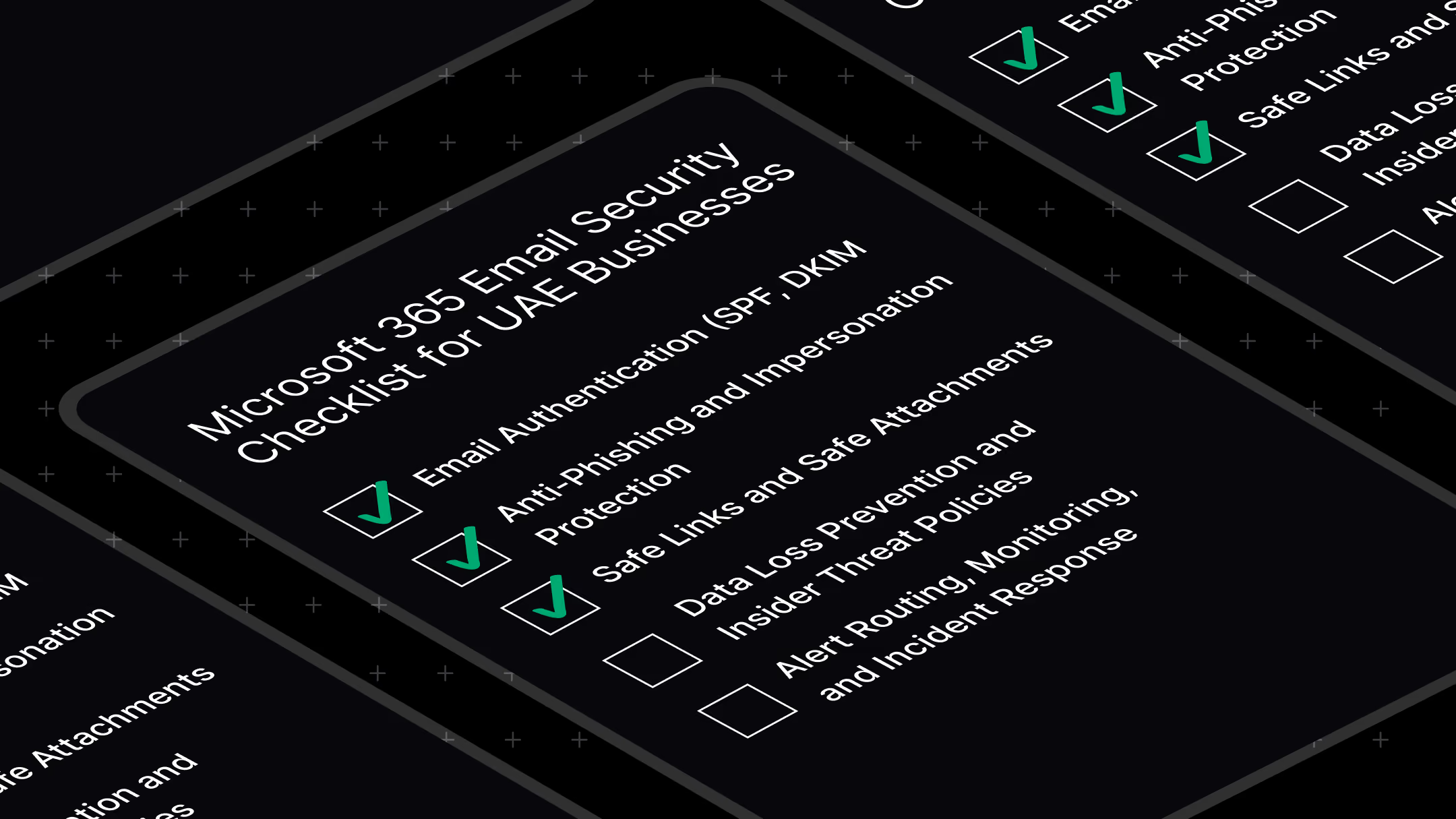
The 5-Layer Microsoft 365 Email Security Checklist
This checklist is designed to help you validate your Microsoft 365 security setup, not just configure it. Each layer builds on the previous one. Missing even a single layer can leave a critical gap that attackers can exploit.
Layer 1: Email Authentication (SPF, DKIM, DMARC)
What it is: Domain-level protection that verifies your email is legitimate
Why it matters: Prevents attackers from spoofing your domain and impersonating your business
Checklist:
- SPF configured correctly and includes all sending sources
- DKIM enabled and signing emails
- DMARC policy enforced (quarantine or reject, not none)
- DMARC reporting enabled for visibility
If missing: Attackers can send emails that appear to come from your domain
Layer 2: Anti-Phishing and Impersonation Protection
What it is: Advanced protection against targeted phishing and impersonation attacks
Why it matters: Stops business email compromise, especially finance and executive fraud
Checklist:
- Anti-phishing policy configured (not just default settings)
- Executive and high-risk users protected with impersonation policies
- Mailbox intelligence enabled
- Spoof intelligence reviewed and tuned regularly
If missing: High risk of CFO fraud and targeted phishing attacks
Layer 3: Safe Links and Safe Attachments
What it is: Real-time protection for URLs and file attachments
Why it matters: Blocks malicious links and malware before users interact with them
Checklist:
- Safe Links enabled for all users
- Safe Attachments enabled with proper policies
- Dynamic delivery configured to reduce delays while scanning
If missing: Malicious links and files can reach user inboxes undetected
Layer 4: Data Loss Prevention (DLP)
What it is: Controls that prevent sensitive data from leaving your organization
Why it matters: Essential for compliance and protecting confidential business information
Checklist:
- DLP policies configured for sensitive data types
- UAE-specific data patterns considered where applicable
- Outbound email restrictions for sensitive content
If missing: Increased risk of data leaks and compliance violations
Layer 5: Monitoring and Incident Response (Most Critical)
What it is: Continuous visibility and response to security events
Why it matters: Security controls without monitoring do not stop real attacks
Checklist:
- Alerts actively monitored on a daily basis
- Audit logs enabled for investigation and tracking
- Incident response plan clearly defined
- Alerts integrated with SIEM or SOC for real-time action
If missing: Attacks can go undetected until damage is already done
Quick Self-Assessment: Are You Actually Secure?
Most businesses assume their Microsoft 365 environment is secure, but very few have validated it. Use this quick self-assessment to identify whether you have critical gaps that attackers can exploit.
Score yourself:
- MFA enforced for all users → Yes / No
- DMARC policy enforced (quarantine or reject) → Yes / No
- Defender policies properly configured → Yes / No
- Safe Links enabled for all users → Yes / No
- Security alerts actively monitored daily → Yes / No
Your results:
- 0–2: High risk
Your environment has major security gaps and is highly exposed to phishing and account compromise. - 3–4: Medium risk
Some protections are in place, but critical gaps remain that attackers can exploit. - 5: Strong, but needs validation
You have a solid baseline, but configuration accuracy and monitoring still need verification.
If you are unsure about any of these answers, there is a high chance your setup is incomplete or misconfigured.
Not sure about your answers? Get a free Microsoft 365 security audit and identify the gaps before they are exploited.
What Secure vs Insecure Microsoft 365 Looks Like
Many businesses believe they are secure because they have implemented a few controls. In reality, partial configuration often creates a false sense of security. Understanding the difference between an insecure and a properly secured Microsoft 365 environment helps you clearly see where you stand.
Insecure Microsoft 365 Environment
- Relies on default Microsoft settings
- No DMARC enforcement, allowing domain spoofing
- Limited or no visibility into security alerts
- No structured monitoring or response process
- Security is reactive, only addressed after an incident
In this state, attackers can operate unnoticed, often gaining access through phishing and maintaining persistence without detection.
Secure Microsoft 365 Environment
- All five security layers fully implemented and validated
- Email authentication (SPF, DKIM, DMARC) enforced
- Advanced phishing and threat protection configured
- Continuous monitoring of alerts and user activity
- Defined incident response process with clear ownership
In this state, threats are not only blocked but also detected and responded to quickly, significantly reducing the risk of financial loss, data breaches, and compliance issues.
Defender for Office 365 Plan 1 vs Plan 2 (What You Actually Need)
Many businesses are unsure whether they are fully protected because they do not know which Microsoft Defender for Office 365 plan they are using. The difference matters because core security features depend on it.
Here is a simple comparison to help you decide:
Key takeaway:
- Defender Plan 1 provides the essential baseline for protecting against phishing, malicious links, and attachments. Most UAE businesses should have this as a minimum.
- Defender Plan 2 adds advanced detection, investigation, and response capabilities, making it suitable for organizations with higher risk profiles or those connected to a SOC.
Many businesses already have Defender Plan 1 included in their Microsoft 365 subscription but have not fully configured it. Before upgrading, it is important to verify what is already available and ensure it is properly set up.
How UAE Compliance Maps to This Checklist
For many UAE businesses, email security is not just about preventing attacks. It is also about meeting regulatory requirements. Frameworks such as NCA ECC, DIFC, and ADGM expect organizations to implement and demonstrate specific security controls, many of which directly align with this checklist.
NCA Essential Cybersecurity Controls (ECC)
The NCA ECC framework requires organizations to implement core email security measures, including email authentication, anti-malware protection, and data loss prevention.
This directly maps to:
- Layer 1: SPF, DKIM, DMARC
- Layer 2 and 3: Anti-phishing and threat protection
- Layer 4: Data Loss Prevention
DIFC Data Protection Law
DIFC regulations require organizations to protect personal data and maintain visibility over how it is handled. Email is one of the primary channels for data exchange, making it a critical focus area.
This aligns with:
- Audit logs and monitoring (Layer 5)
- Data protection controls (Layer 4)
ADGM Cyber Risk Requirements
ADGM-regulated organizations must implement documented cybersecurity controls as part of their risk management framework. Email security plays a key role in this requirement.
This includes:
- Configured and enforced email security controls (Layers 1 to 3)
- Documented monitoring and incident response processes (Layer 5)
The Real Gap: Configured ≠ Monitored ≠ Protected
Many businesses invest time in configuring Microsoft 365 security controls, but stop there. This creates a critical gap. Security tools generate alerts, but if no one is actively reviewing and responding to them, those alerts provide no real protection.
In a typical Microsoft 365 environment, dozens or even hundreds of security alerts can be generated each week. Without continuous monitoring, these alerts are ignored or missed entirely. This is where most breaches happen.
Business Email Compromise attacks are a clear example. Attackers gain access, set up inbox rules, monitor conversations, and only act when the timing is right. In many cases, the breach is discovered only after fraudulent payments are made or sensitive data has already been exposed.
A Dubai-based business experienced this firsthand. Their Microsoft 365 environment had multiple security controls in place, but no active monitoring. The attacker remained undetected long enough to execute a financial fraud incident before anyone noticed unusual activity.
The reality is simple. Configuration alone does not stop attacks. Protection only happens when threats are detected and acted on in real time.
This is where a managed SOC makes the difference, by continuously monitoring alerts, investigating suspicious activity, and responding before damage occurs.
What Microsoft Secure Score Doesn’t Tell You
Microsoft Secure Score is often used as a benchmark for how secure your environment is. While it provides useful recommendations, it can also create a false sense of confidence if relied on alone.
Secure Score measures how many recommended settings you have enabled. It does not measure whether your environment is actively protected against real threats.
What Secure Score does not tell you:
- Whether security alerts are being monitored in real time
- Whether incidents are investigated and responded to
- Whether your controls are effective against real-world attacks
It is possible to have a high Secure Score and still be vulnerable. For example, you may have multiple controls enabled, but if alerts are not reviewed or acted upon, an attacker can still operate undetected.
A high score does not equal a secure environment.
Secure Score should be treated as a starting point for improvement, not proof of protection. True security comes from a combination of proper configuration, continuous monitoring, and a defined response process.
Do You Need Expert Help?
By this point, the question is no longer whether Microsoft 365 can be secured, but whether you have the resources to do it effectively and continuously.
When a DIY Approach Works
A do-it-yourself approach can be effective if you have:
- An experienced IT or security team
- Time to properly configure and maintain all five layers
- Processes in place to monitor alerts daily and respond to incidents
However, this requires ongoing effort. Security is not a one-time setup.
When You Need Expert Support
Most businesses should consider expert help if:
- There is no dedicated SOC or continuous monitoring in place
- Internal teams lack deep Microsoft 365 security expertise
- Compliance requirements demand documented controls and response processes
- Alerts are not actively reviewed or investigated
In these cases, gaps are not always visible until an incident occurs.
The key difference comes down to consistency and depth. Configuration can be done once, but monitoring and response must happen continuously.
If your team cannot commit to that level of oversight, relying on experts ensures your Microsoft 365 environment is not just configured, but actively protected.
Email continues to be the most targeted entry point for cyberattacks, and Microsoft 365 environments are no exception. Most businesses operate with a false sense of security, assuming their setup is complete when critical gaps often remain hidden.
This checklist is not just a reference guide. It is a practical validation tool designed to help you uncover misconfigurations, assess your real security posture, and reduce exposure to phishing, business email compromise, and data loss.
However, real protection does not come from configuration alone. It comes from continuous monitoring, response readiness, and expert validation of your environment.
If you are serious about securing your Microsoft 365 environment, now is the time to act.
Get a Microsoft 365 Email Security consultation from CyberQuell and uncover hidden risks before attackers exploit them.
%20for%20Microsoft%20365%20(1).png)
.png)
.png)
