
.avif)
Key Takeaways
- Microsoft Defender for Office 365 protects against phishing, BEC, malware, spoofing, and unsafe links when configured properly.
- The best MDO specialists do more than setup. They tune policies, investigate alerts, reduce false positives, and support response.
- Key MDO features include Safe Links, Safe Attachments, impersonation protection, Threat Explorer, and automated investigation.
- MDO Plan 2 is better for teams that need advanced threat hunting, real-time detections, and deeper investigation.
- Choose an email security partner based on Microsoft expertise, response time, reporting, policy tuning, and compliance support.
- CyberQuell is a strong fit for SMBs and mid-market teams that want Microsoft-focused email security support without building an in-house security team.
Email remains the most exploited attack vector in 2026, accounting for the majority of phishing, BEC, malware, and credential-harvesting attempts across Microsoft 365 environments. While Microsoft Defender for Office 365 (MDO) provides strong native protection, most organisations fail to unlock its full capability without expert tuning and continuous optimization.
MDO is powerful but not fully effective out of the box. Default security baselines rarely meet real-world threats, and small misconfigurations can open the door to targeted phishing, ransomware delivery, and impersonation attacks. This is where a certified Microsoft 365 Defender specialist becomes critical.
Most internal IT teams lack the dedicated expertise to:
- Configure advanced phishing and impersonation controls
- Tune anti-malware, Safe Links, and Safe Attachments policies
- Monitor and investigate threats using Threat Explorer and Real-Time Detections
- Integrate MDO with E5 security, Microsoft Defender XDR, or SIEM platforms
- Perform continuous policy optimisation and incident response
By outsourcing this capability to an MDO specialist, organisations gain significantly higher detection accuracy, lower false positives, faster incident response, and stronger overall email security posture without the cost of building an in-house cybersecurity team. In 2026, this makes partnering with an expert not just beneficial, but essential.
Who This Guide Is For?
If you're here, you're likely looking for specialists who can get the most out of Microsoft Defender for Office 365 and you want a provider who actually understands how to secure modern cloud email.
This guide is for you if you're searching for:
- Top email security service providers for Microsoft 365
- Experts who can configure, tune, and manage Microsoft Defender for Office 365
- Teams with SC-900, SC-200, or MS-500 certified engineers
- Cloud email security solutions that reduce phishing, spoofing, and BEC attacks
- Clear and transparent pricing without hidden add-ons
- A partner who can support threat response not just monitoring
- Vendors that specialise in Microsoft 365 Defender optimisation
Whether you're an IT Director, a CISO, or the person responsible for keeping email threats out of your organisation, this guide will help you choose the right specialist one who improves protection, lowers risk, and takes the heavy lifting off your internal team.
How We Selected These Top 9 Specialists
To ensure this list is accurate, credible, and genuinely helpful, we evaluated each provider using clear and verifiable criteria. Every recommendation is based on proven capability in Microsoft Defender for Office 365 and cloud email security. We did not include paid placements, unverified claims, or any metrics that cannot be validated.
Below is the detailed methodology we used when selecting the top specialists:
Microsoft Partner Designations
We prioritised companies that hold recognised Microsoft partner designations in Security, Modern Work, or Cloud Security. These designations indicate consistent delivery quality, technical capability, and alignment with Microsoft’s recommended practices.
Certified Technical Expertise
Every provider on this list employs engineers with official Microsoft certifications. We specifically looked for SC-900, SC-200, MS-500, SC-300, and other Microsoft 365 Defender and Azure security credentials. These certifications demonstrate real technical understanding rather than basic administrative knowledge.
Hands-On Experience With MDO
We assessed whether each provider has proven experience working with Microsoft Defender for Office 365 Plan 1 and Plan 2. This includes deployment, advanced configuration, incident response, and long-term optimization.
Capability to Tune Advanced Security Controls
Effective email security depends on tuning, not just enabling policies. Providers were evaluated on their ability to configure and optimise key MDO components, including:
- Anti-phishing and impersonation protection
- Advanced Delivery Policies for third-party gateways
- Safe Links policy tuning and user-level controls
- Safe Attachments with dynamic delivery
- Spoof intelligence, DKIM, and DMARC alignment
Incident Response Quality
We examined how providers handle live threats. This includes investigation depth, accuracy of root-cause analysis, communication quality, and the ability to contain or remediate incidents within Microsoft 365 and Defender XDR.
Detection Accuracy and Noise Reduction
Strong providers know how to reduce false positives without weakening security. We selected vendors with proven ability to lower alert noise, identify high-risk anomalies, and enhance Microsoft 365 signal correlation.
SLA and Response Time Transparency
Many providers claim to offer 24/7 support, but few define response times clearly. We only included specialists who publish measurable SLAs with guaranteed response times for critical, high, and medium alerts.
Pricing Transparency
We favoured vendors who clearly outline their costs for initial configuration, ongoing monitoring, and incident response. Providers with hidden fees, unclear pricing tiers, or vague “custom quotes only” models were deprioritised.
Documented Customer Results
Finally, we reviewed case studies, testimonials, and verifiable customer feedback. Only providers with real evidence of successful Microsoft Defender for Office 365 deployments were included.
This methodology ensures that every specialist featured in this list delivers measurable improvements in email security, operational efficiency, and threat protection.
Top 9 Microsoft Defender for Office 365 Email Security Specialists in the USA (2026)
The following companies are the strongest, most verifiable specialists for Microsoft Defender for Office 365. Each profile is built to help you quickly understand who they serve, what they offer, and whether they’re the right fit for your organisation.
CyberQuell (USA)
Who They Serve: Mid-market, SMB, IT-led organisations, compliance-driven businesses
Microsoft Certifications: SC-900, SC-200, SC-300, MS-500 (team mix); Microsoft 365 Security specialization
Email Security Services: Full MDO setup, continuous tuning, 24/7 monitoring
- MDO configuration and policy hardening
- Phishing and BEC protection tuning
- Safe Links and Safe Attachments optimization
- Threat Explorer and real-time investigation support
- Incident response and remediation
- User phishing simulations and awareness training
Strengths & Differentiators:
CyberQuell focuses exclusively on Microsoft security, which means you get specialists who live inside Defender every day. They stand out for fast onboarding, transparent pricing, and hands-on tuning rather than automated “set-and-forget” configurations. Their approach is very personal, ideal for teams that want a true partner instead of a generic MSSP.
Ideal For:
Mid-sized organisations wanting premium Defender expertise without enterprise pricing.
Pricing Notes:
Pricing varies based on user count and SLA.
Critical Start
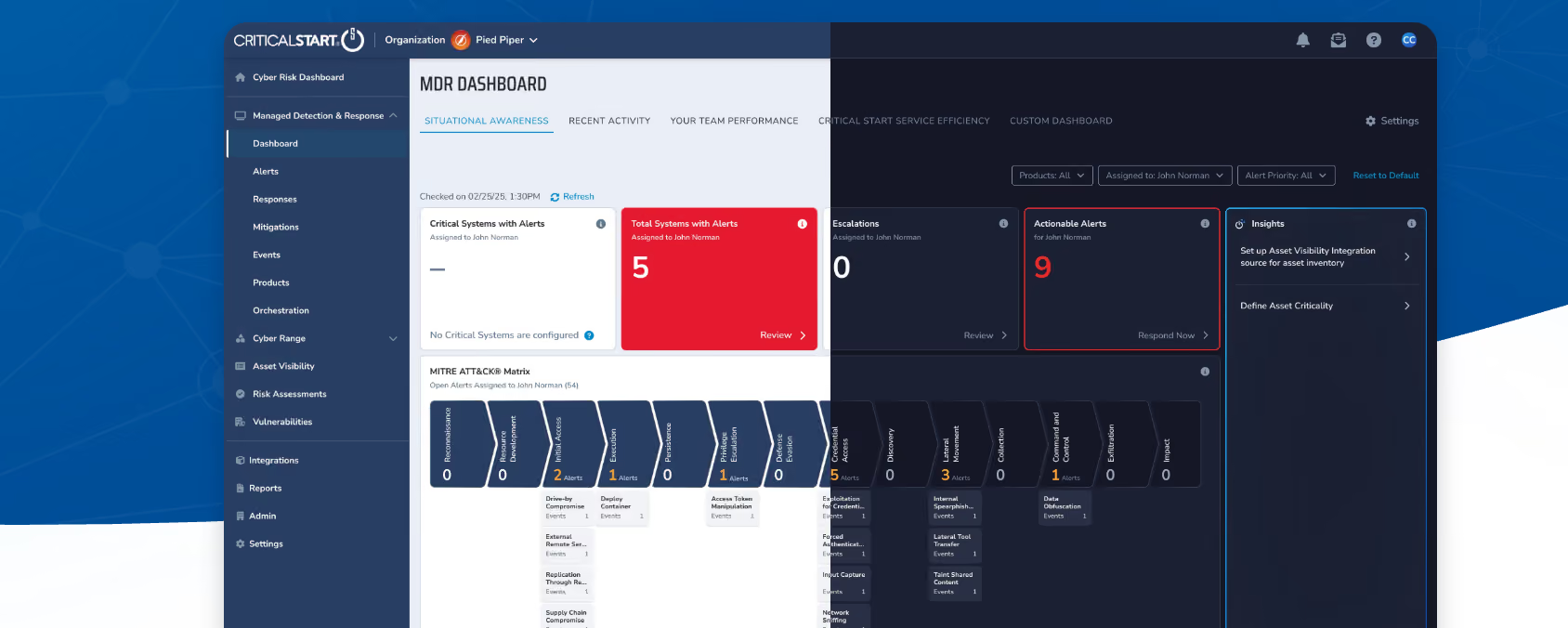
Who They Serve: Mid-market, enterprise, technology-driven organisations
Microsoft Certifications: Microsoft Verified MXDR; Defender expertise across all workloads
Email Security Services: MDR for Microsoft 365 Defender
- MDO policy hardening and phishing controls
- Impersonation and BEC tuning
- Safe Links / Safe Attachments configuration
- Threat Explorer investigations
- 24/7 SOC response
- Analyst-assisted remediation
Strengths & Differentiators:
Known for their “Zero Trust SOC,” extremely low false positives, and deep Microsoft integration. Ideal for companies needing a mature, always-on security function.
Ideal For:
Mid-market teams needing high-touch monitoring and SOC support.
Pricing Notes:
Varies based on user count and service scope.
Red Canary
Who They Serve: SMB, mid-market, enterprise
Microsoft Certifications: Microsoft Verified MXDR provider
Email Security Services: MXDR for Defender and Microsoft 365
- High-fidelity detection across email, endpoint, and identity
- Phishing and BEC defense optimization
- Threat hunting inside MDO telemetry
- Rapid incident investigation and guidance
Strengths & Differentiators:
Red Canary is known for outstanding detection quality and highly actionable alerts. Excellent if you want continuous hunting and fast response.
Ideal For:
Teams that need constant monitoring and expert-led investigation.
Pricing Notes:
Pricing varies by user count & coverage.
Secureworks (Taegis MDR)
Who They Serve: Enterprise, global organisations, regulated sectors
Microsoft Certifications: Microsoft partner across security workloads
Email Security Services: Enterprise-grade MDR for Microsoft 365
- MDO policy tuning
- Compliance-aligned configuration
- Cross-tenant and hybrid environment support
- Threat Explorer investigations at scale
- IR services and containment
Strengths & Differentiators:
Exceptional for large businesses with complex email and identity ecosystems. Their Taegis platform correlates signals across the entire Microsoft stack.
Ideal For:
Enterprise companies need a global SOC with deep integration.
Pricing Notes:
Pricing varies based on scale, tenants, and IR requirements.
Integrity360

Who They Serve: Healthcare, finance, legal, government, compliance-heavy firms
Microsoft Certifications: Microsoft Solutions Partner – Security
Email Security Services: MDO tuning and compliance-focused security
- Safe Links / Safe Attachments configuration
- Anti-phishing baseline alignment
- Threat Explorer audits
- Compliance-ready reporting
- Incident response
Strengths & Differentiators:
Strong in governance, configuration documentation, and audit support. Excellent for regulated industries.
Ideal For:
Companies that require strong compliance posture with Microsoft 365.
Pricing Notes:
Pricing varies based on compliance scope.
LevaCloud

Who They Serve: SMB and growing mid-market organisations
Microsoft Certifications: Microsoft cloud security specialists
Email Security Services: Co-managed and fully managed MDO
- Initial setup and hardening
- Phishing control tuning
- Safe Links / Safe Attachments setup
- Ongoing alert handling
Strengths & Differentiators:
Affordable, simple, and built for teams that need Defender expertise without a heavy managed service.
Ideal For:
Budget-conscious SMBs wanting strong email defense.
Pricing Notes:
Generally low to mid-range.
BlueVoyant

Who They Serve: Enterprise, global organisations
Microsoft Certifications: Microsoft Verified MXDR; Solutions Partner – Security
Email Security Services: Defender-centric MDR
- MDO optimization
- Advanced threat correlation
- Incident handling and containment
- Email threat modeling
Strengths & Differentiators:
Excellent at multi-signal correlation, giving deeper insights across cloud, identity, and email.
Ideal For:
Enterprise organisations needing end-to-end Microsoft Defender management.
Pricing Notes:
Enterprise pricing applies.
Netsurion
Who They Serve: SMB, retail, multi-site organizations
Microsoft Certifications: Microsoft-aligned MDR services
Email Security Services: Managed email security with MDO integrations
- Phishing defense tuning
- MDO alert handling
- Basic Safe Links / Safe Attachments support
Strengths & Differentiators:
Best suited for small IT teams that need outsourced monitoring and simplified Defender management.
Ideal For:
SMBs with limited security resources.
Pricing Notes:
Affordable pricing tier.
Expel
Who They Serve: Mid-market and enterprise
Microsoft Certifications: Microsoft Verified Managed XDR
Email Security Services: MXDR across Microsoft 365
- MDO policy optimization
- Phishing investigation and triage
- Threat Explorer-driven investigations
- Human-led IR
Strengths & Differentiators:
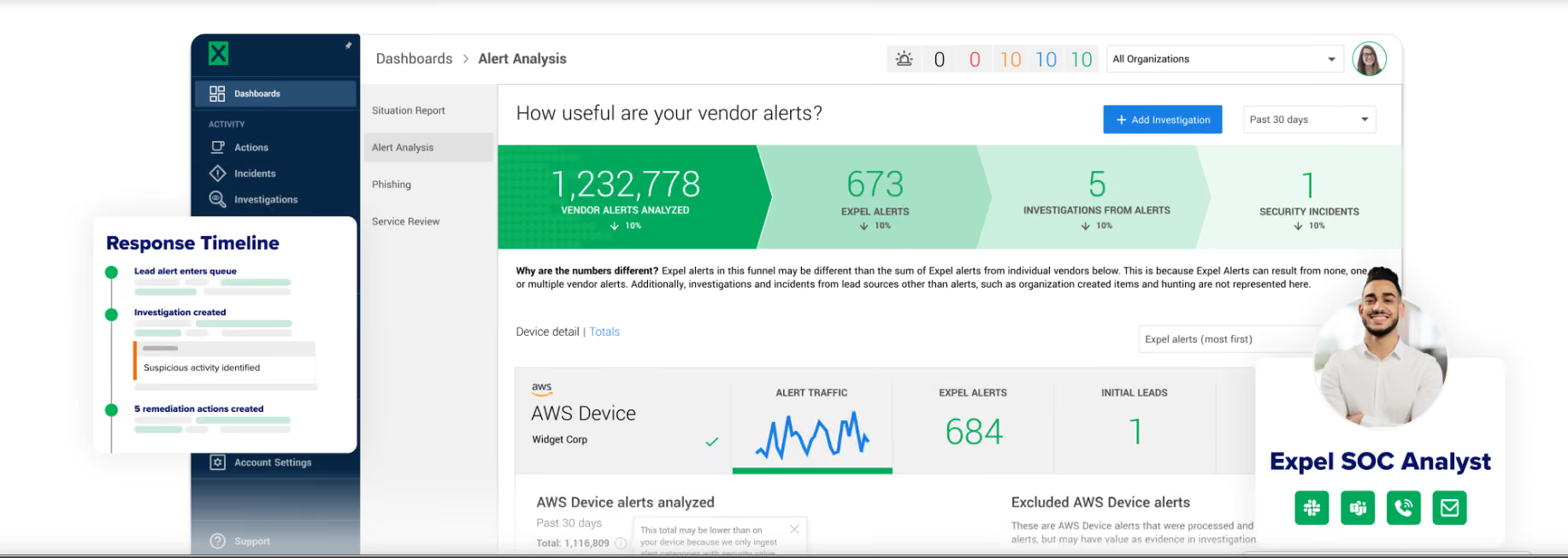
Expel provides highly detailed, easy-to-read explanations and extremely responsive analysts, making them ideal for teams who want full transparency.
Ideal For:
Organisations wanting clear communication and shared visibility.
Pricing Notes:
Varies based on telemetry and user volume.
What a True Microsoft Defender for Office 365 Specialist Actually Does
1. Configures and Tunes Anti-Phishing Policies
Anyone can turn on MDO. Tuning it properly is where the real protection happens.
A true specialist knows how to configure:
• Impersonation protection
Prevents attackers from mimicking executives, finance teams, vendors, and domain lookalikes.
• Spoof intelligence
Evaluates legitimate vs malicious spoofing and builds trusted sender lists safely without creating security gaps.
• Priority account protections
Adds stronger shielding for VIPs, C-suite leaders, and finance users who face the highest BEC risk.
With proper tuning, organizations experience fewer false positives and drastically improved phishing detection.
2. Optimizes Safe Links and Safe Attachments
Safe Links and Safe Attachments are powerful, but Microsoft’s default settings are not enough.
A specialist fine-tunes elements such as:
• Detonation settings
Ensures suspicious files open inside a secure sandbox before a user can interact with them.
• Malicious URL rewriting
Rewrites and evaluates URLs in real time to block dangerous links and prevent access to phishing pages.
• Real-time scanning
Stops zero-day files and malicious URLs even before Microsoft updates global signatures.
This optimization turns basic protection into advanced threat defense.
3. Sets Up and Maintains Advanced Delivery Policies
This is one of the most overlooked areas of MDO.
Advanced Delivery ensures:
• Phishing simulations reach inboxes properly
Security awareness tools often break if policies are not aligned.
• External security tools do not interfere with mail flow
Platforms like Mimecast, Proofpoint, or IRONSCALES must be aligned with Defender.
• Outbound gateways avoid throttling and false flags
Incorrect configurations often cause mail delivery issues.
Most internal teams set this up incorrectly, which leads to broken safe links, false positives, or missed phishing tests.
A specialist prevents these issues before they impact users.
4. Investigates Alerts Using Threat Explorer and Real-Time Detections
This is where hands-on expertise becomes critical.
A true specialist knows how to:
- Analyze BEC attempts
- Trace malicious email delivery paths
- Review user clicks and risky behaviors
- Detect signs of lateral movement
- Remediate compromised mailboxes
- Hunt for related threats across the tenant
Threat Explorer is extremely powerful when operated by someone who understands what to look for.
5. Creates Automated Response Playbooks (XDR and SOAR)
Modern security operations require automation.
Specialists build playbooks that can:
- Auto-quarantine phishing emails
- Block malicious domains and IP addresses
- Reset sessions for compromised accounts
- Trigger MFA resets
- Notify security teams instantly
- Coordinate responses across M365, Endpoint, Identity, and third-party tools
These automated workflows reduce human error and dramatically accelerate incident response.
6. Provides Monthly Optimization, Reporting, and Recommendations
Email threats evolve weekly. Security policies cannot remain static.
A specialist delivers ongoing value by providing:
- Monthly tuning of all MDO policies
- New threat pattern reviews
- Investigations of missed phishing emails
- Behavior and risk insights
- Executive-level reporting
- Compliance-ready documentation
This continuous improvement is what most organizations cannot maintain internally. It is also one of the biggest reasons outsourced email security delivers such strong ROI.
Microsoft Defender for Office 365 – Pros and Cons
Before you choose a specialist or invest more into MDO, it helps to understand what the product does well and where most organizations struggle.
Pros
AI-driven threat analysis
Defender for Office 365 uses machine learning models trained on global Microsoft threat intelligence. This improves detection of phishing, BEC attempts, malware, and zero-day payloads.
Strong anti-phishing engine
The impersonation protection, domain similarity checks, and behavior-based detection give organizations reliable protection against modern social engineering attacks.
Deep Microsoft 365 integration
MDO connects directly with Teams, SharePoint, OneDrive, Defender XDR, and Azure AD. This creates a unified detection and response flow that third-party email gateways cannot fully match.
Cloud-native and scalable
There is no hardware, no appliances, and no complicated deployment. Everything updates automatically across the tenant, even for remote users.
Cons
Requires expert tuning for accuracy
The default policies are not strong enough for real-world attacks. Without proper configuration, organizations face missed phishing emails or high false positives.
Alert noise without optimization
Unoptimized tenants generate large volumes of low-value alerts. Most internal teams quickly become overwhelmed, which affects response times.
Complex licensing structure
Understanding the difference between MDO Plan 1, Plan 2, E5, and Microsoft 365 Defender bundles can be confusing and often leads to incorrect coverage.
Limited insights without Threat Explorer
Threat Explorer and Real-Time Detections are essential for investigations, but they are only available in MDO Plan 2 or E5. Without them, visibility is limited.
Microsoft Defender for Office 365 and Managed Email Security Services
Understanding the cost of Microsoft Defender for Office 365 and managed email security services helps you plan accurately and avoid surprises. Below is a realistic, vendor-neutral breakdown based on publicly available ranges and common service models.
MDO Licensing (Plan 1 and Plan 2) – realistic ranges
Microsoft publishes pricing ranges for Defender for Office 365. The exact cost depends on your region and enterprise agreement.
- MDO Plan 1
Includes basic anti-phishing and anti-malware protections.
Typical range: 1.80 to 2.50 USD per user per month. - MDO Plan 2
Includes everything in Plan 1 plus Threat Explorer, automated investigation, real-time detections, and advanced hunting.
Typical range: 5.00 to 6.00 USD per user per month. - Included in Microsoft 365 E5
MDO Plan 2 features are already bundled, so many enterprises do not need separate licensing.
These figures are publicly referenced ranges. Exact pricing varies based on agreement type, user volume, and billing model.
Managed Email Security Pricing Models
Every service provider prices managed MDO support slightly differently, but most follow these standard models.
Per-user per-month
This is the most common model.
Organizations typically pay a flat monthly fee for continuous monitoring, tuning, and incident response.
Tiered SLA packages
Pricing increases based on response time, availability, and level of investigation. Example tiers often include:
- Business hours only
- Extended hours
- Full 24 x 7 coverage
Faster SLAs and 24 x 7 coverage always cost more.
Add-ons
Some providers offer optional add-ons such as:
- Phishing simulation and security awareness training
- Rapid incident response retainers
- Forensic analysis packages
- Endpoint protection or XDR bundling
- Compliance reporting or audit preparation
Most add-ons are priced separately so organizations can customize based on their needs.
Factors That Influence Cost
Your final price depends on several operational and technical factors.
Tenant size
Larger user counts typically receive better per-user rates, but total cost still scales with the number of endpoints and mailboxes being protected.
SLA and coverage requirements
Cost increases significantly when moving from business-hours monitoring to round-the-clock response.
Integration requirements
If you need Defender integrated with:
- SIEM platforms
- Endpoint security
- Identity protection
- Third-party gateways
then additional engineering hours may be required.
Compliance reporting needs
Businesses in regulated sectors such as finance, healthcare, legal, and government often require:
- Detailed monthly reporting
- Audit-friendly documentation
- Data retention policies
These requirements can increase service pricing.
Buyer Scenarios: Which Type of Specialist Do You Actually Need?
Every organization has different security needs. The right Microsoft Defender for Office 365 specialist depends heavily on your size, your licensing model, and your internal capabilities. Below are the most common buyer scenarios so you can quickly identify which type of provider fits your situation.
Scenario 1: Fewer Than 300 Users (SMB)
If you are an SMB, you likely do not have a dedicated security team. Most email security tasks fall on an IT generalist or a single Microsoft 365 admin.
You typically need a specialist who can:
- Fully configure MDO for you
- Tune anti-phishing and anti-malware policies
- Handle all investigations and response
- Provide affordable per-user pricing
- Offer optional phishing training
SMBs benefit most from providers that deliver complete management and minimize your internal workload.
Ideal specialist type:
A managed security provider that offers fixed pricing, simple support tiers, and hands-on help.
Scenario 2: Mid-Market (300 to 2,000 Users)
Mid-sized organizations often have an IT team but lack deep expertise in incident response or advanced MDO tuning.
You typically need a specialist who can:
- Fine-tune Safe Links, Safe Attachments, and impersonation controls
- Provide 24 x 7 monitoring or at least extended-hours coverage
- Integrate Defender with SIEM or SOAR platforms
- Assist with investigations and reporting
Mid-market companies care about faster SLAs, reduced alert noise, and better visibility.
Ideal specialist type:
A security-focused provider with Microsoft certifications and experience deploying MDO at scale.
Scenario 3: Enterprise and E5 License Holders
Enterprises with E5 licensing already have access to MDO Plan 2 and the full Microsoft Defender suite. The challenge is not the tools, but the operational workload.
You typically need a specialist who can:
- Manage Threat Explorer investigations
- Build automated response playbooks
- Work alongside an existing SOC
- Provide tuning for complex environments
- Support hybrid email or multi-geo tenants
Enterprises value rapid response and deep expertise over basic configuration.
Ideal specialist type:
A provider that specializes in Microsoft Defender XDR, SOAR automation, and enterprise-scale environments.
Scenario 4: Compliance-Heavy Industries
Sectors like finance, healthcare, government, and legal require strict documentation and audit-ready reporting.
You typically need a specialist who can:
- Provide detailed monthly and quarterly reports
- Support HIPAA, FINRA, PCI, CJIS, or SOC 2 requirements
- Maintain audit trails and retention policies
- Ensure MDO policies align with regulatory frameworks
Compliance-driven organizations cannot rely on default configurations.
Ideal specialist type:
A provider with compliance expertise and strong reporting capabilities, not just technical implementation skills.
Scenario 5: Companies Using MSPs But Needing Security Expertise
Many organizations already work with an MSP for general IT support. However, MSPs often lack deep security expertise, especially in MDO tuning and incident response.
You typically need a specialist who can:
- Work alongside your MSP without replacing them
- Handle advanced security tasks the MSP cannot cover
- Reduce your MSP’s ticket burden
- Offer rapid response for phishing or account compromise
- Strengthen your Defender policies and monitoring
This is one of the most common scenarios in the market.
Ideal specialist type:
A cybersecurity-focused provider that complements your MSP by covering advanced security, response, and optimization.
Why Specialized Response Matters
In a recent engagement, a phishing attack gave an unauthorised actor access to a Microsoft 365 mailbox. CyberQuell’s investigation — covering Azure AD sign-in logs, mailbox audit trails, and persistence checks confirmed the attacker had viewed ten emails and established no persistence mechanisms. The account was fully contained within hours. Read the full phishing M365 account compromise investigation.
Common Mistakes Companies Make With Microsoft Defender for Office 365
Most organizations believe they are protected simply because Microsoft Defender for Office 365 is enabled. In reality, many tenants are exposed due to configuration gaps and lack of ongoing tuning. Here are the most common mistakes that weaken email security and increase phishing risk.
1. Using Default Policies
Microsoft’s default MDO settings are intentionally relaxed so they work for every tenant. This leaves critical protections disabled or set too low.
Without custom tuning, attackers easily bypass these defaults.
2. No Regular Tuning or Policy Optimization
Threat patterns change constantly. If your policies are not reviewed every month, you will experience:
- Higher false positives
- Lower detection accuracy
- Missed phishing attempts
- Outdated URL and attachment filtering
Most internal teams simply do not have the time to tune MDO continuously.
3. Over-Relying on Exchange Online Protection (EOP)
EOP provides basic filtering only. It does not offer advanced phishing detection, impersonation analysis, or investigation tools.
Many organizations assume EOP is enough when it is not designed to stop modern BEC and targeted attacks.
4. Not Enabling Safe Links and Safe Attachments
These are two of the strongest features of MDO, yet many tenants leave them partially configured or disabled.
This weakens protection against:
- Malicious URLs
- Zero-day files
- Weaponized documents
- Drive-by-download links
Proper configuration significantly reduces user risk.
5. Ignoring Impersonation Protection
BEC attacks often rely on impersonating executives, vendors, or trusted domains.
If impersonation policies are not configured, attackers can pass through the mailbox with convincing spoofed identities.
6. No Phishing Simulation Program
Training users only once per year is not enough. Without regular simulations:
- Users forget how to identify phishing
- Click rates stay high
- Attackers succeed with basic lures
Simulations also require Advanced Delivery Policies, which are often misconfigured.
7. No SIEM or XDR Integration
Email security does not work in isolation.
Without integrating Defender for Office 365 into SIEM or XDR:
- Lateral movement goes undetected
- Compromised accounts are not correlated
- Response time increases
- SOC teams lose visibility
Integration helps transform alerts into actionable insights.
How to Choose the Right Microsoft Email Security Partner
- Selecting the right partner for Microsoft Defender for Office 365 is essential for strengthening your overall email security posture. The provider you choose should not only understand the technical capabilities of MDO but also know how to operationalize it for real-world threats. Use the following checklist to evaluate whether a partner is capable of delivering the level of protection your organisation needs.
- A reliable partner should have consultants who are certified in SC-900 and SC-200. These certifications demonstrate a clear understanding of Microsoft security architecture, threat mitigation concepts, and advanced incident response within the Microsoft ecosystem. Certification alone is not everything, but it is a strong indicator that the partner has a strong technical baseline and follows best practices.
- You should also verify that the partner provides a true 24/7 response. Email attacks do not follow business hours, and delays of even a few minutes can escalate a phishing threat into a full compromise. A competent partner must offer round-the-clock monitoring, triage, and response to suspicious activity.
- Monthly optimisation reports are another important element. Microsoft Defender is not a set-and-forget solution. Threat patterns evolve every month, and your security controls must adapt. A qualified partner will provide regular reports that outline what was tuned, what threats were detected, and what gaps still need attention.
- Advanced phishing policy tuning is a key requirement as well. Many organisations rely only on basic protection, which leaves them vulnerable to social engineering and sophisticated impersonation campaigns. A strong partner will continuously adjust anti-phishing, spoof intelligence, and impersonation detection settings based on your organisation’s threat profile.
- If you are using MDO Plan 2, your partner should also support proactive threat hunting. This includes investigating patterns in user clicks, scanning for malicious URLs, reviewing high-risk mailboxes, and searching for indicators of compromise across Microsoft 365. Threat hunting is one of the biggest differentiators between an average provider and a true Microsoft security specialist.
- Integration is another major factor. Your email security should connect seamlessly with Microsoft Defender for Endpoint, Sentinel, and the broader XDR ecosystem. A partner with deep integration expertise can create unified incident workflows and ensure that alerts from email, endpoint, and identity systems feed into one coordinated response process.
- Finally, ask the partner for examples of policy tuning they have performed in previous engagements. Real-world examples help you understand their methodology, their attention to detail, and their ability to tailor Microsoft Defender settings to different industries and organisational sizes. The right partner will be transparent and confident in demonstrating past results.
Email threats are evolving quickly, and Microsoft Defender for Office 365 delivers real protection only when it is expertly configured and continuously tuned. With the right specialist, organisations improve detection accuracy, reduce risk, and get far more value from their existing Microsoft investments.
If you want stronger protection, faster response, and true peace of mind, CyberQuell is the partner that helps you get there.
Secure your email environment with CyberQuell and maximise the full power of Defender for Office 365. Let’s protect your organisation together.
%20for%20Microsoft%20365%20(1).png)
.png)
.png)
